

Supported connection methods
The Solana app supports Wallet Standard wallets (Phantom, Backpack, Solflare, and others) and, when configured, Privy email/Google login with an embedded Solana wallet.Connect
- Open devnet.solana.vanna.finance and choose Connect.
- Pick an installed wallet, or continue with Google/email if Privy is enabled.
- Confirm the displayed address.
- Wait for balances and any existing margin account to load from the fork.
https://rpc-devnet.solana.vanna.finance), so a default wallet connection works out of the box for browsing and signing. You only need to manually point your wallet at that RPC if your wallet does its own balance/simulation reads against a different network by default — Backpack is the common case, since it defaults to public Mainnet/Devnet.
Set a custom RPC in Backpack
Backpack needs to be told about Vanna’s fork explicitly, or it will show mainnet/devnet balances instead of your fork state:- Open the Backpack extension and click the network name at the top (e.g. Mainnet).
- Select Add Custom RPC (or Custom Rpc if you’ve already added one).
- Paste the fork endpoint:
https://rpc-devnet.solana.vanna.finance. - Save, then confirm Backpack now shows Custom Rpc: https://rpc-devnet.solana.vanna.finance at the top of the wallet panel.
- Reconnect on devnet.solana.vanna.finance — Backpack now reads and signs against the same fork the site itself uses.
Faucet
Open Faucet in the header. Mint the assets you need, or use Mint All.
These are fork cheatcode top-ups. They do not move real mainnet tokens.
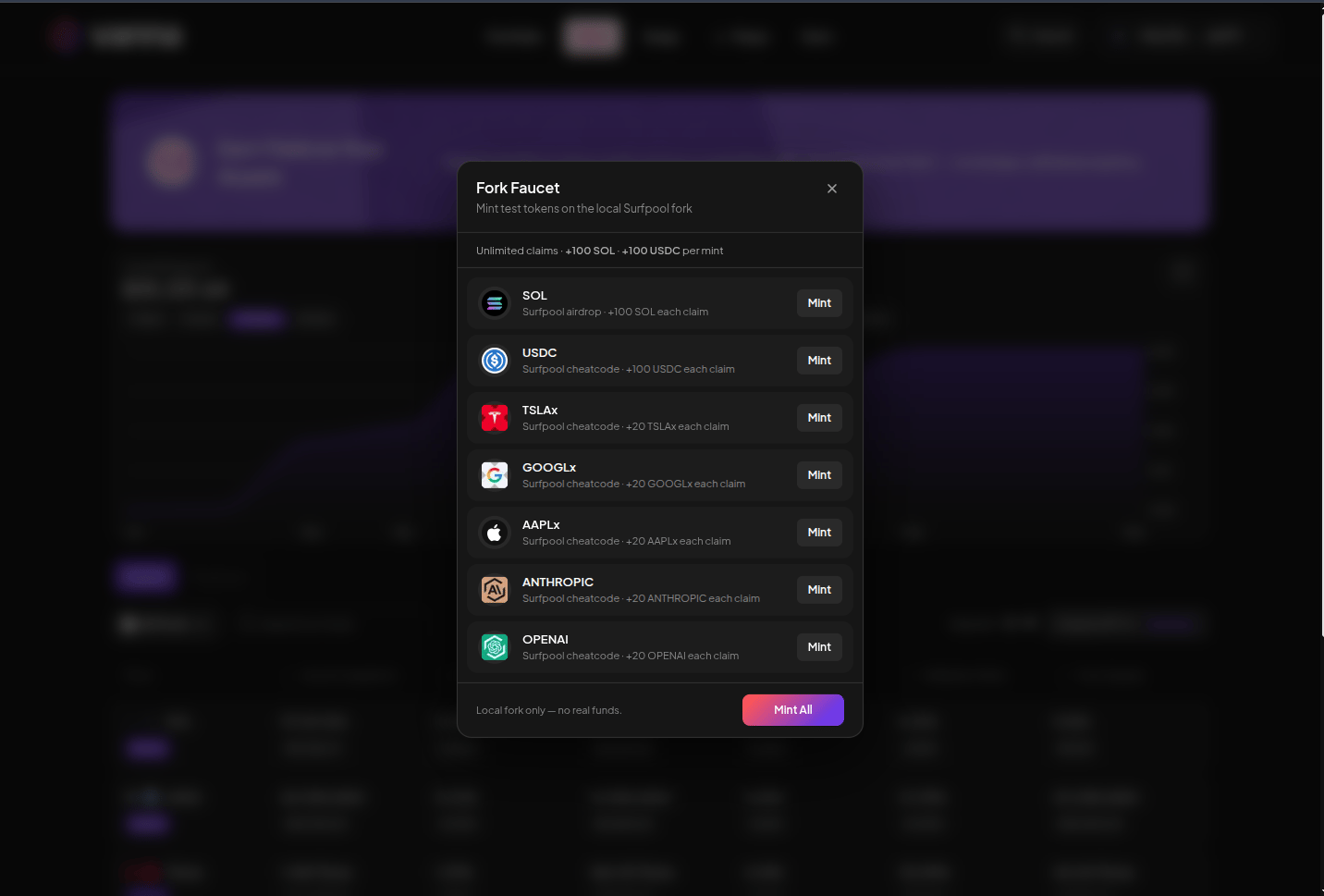
Fork faucet modal. Unlimited claims on the shared demo. Click the image to zoom.