> ## Documentation Index
> Fetch the complete documentation index at: https://docs.solana.vanna.finance/llms.txt
> Use this file to discover all available pages before exploring further.
# Connect Your Wallet
> Connect Phantom, Backpack, Solflare, or Privy and mint test assets on the Vanna fork.
## Supported connection methods
The Solana app supports **Wallet Standard** wallets (Phantom, Backpack, Solflare, and others) and, when configured, **Privy email/Google login** with an embedded Solana wallet.
## Connect
1. Open [devnet.solana.vanna.finance](https://devnet.solana.vanna.finance/earn) and choose **Connect**.
2. Pick an installed wallet, or continue with Google/email if Privy is enabled.
3. Confirm the displayed address.
4. Wait for balances and any existing margin account to load from the fork.
The website's own RPC calls already go to the hosted fork (`https://rpc-devnet.solana.vanna.finance`), so a default wallet connection works out of the box for browsing and signing. You only need to manually point your wallet at that RPC if your wallet does its own balance/simulation reads against a different network by default — Backpack is the common case, since it defaults to public Mainnet/Devnet.
## Set a custom RPC in Backpack
Backpack needs to be told about Vanna's fork explicitly, or it will show mainnet/devnet balances instead of your fork state:
1. Open the Backpack extension and click the network name at the top (e.g. **Mainnet**).
2. Select **Add Custom RPC** (or **Custom Rpc** if you've already added one).
3. Paste the fork endpoint: `https://rpc-devnet.solana.vanna.finance`.
4. Save, then confirm Backpack now shows **Custom Rpc: [https://rpc-devnet.solana.vanna.finance](https://rpc-devnet.solana.vanna.finance)** at the top of the wallet panel.
5. Reconnect on [devnet.solana.vanna.finance](https://devnet.solana.vanna.finance/earn) — Backpack now reads and signs against the same fork the site itself uses.
If you use an installed wallet against a **local** Surfpool node instead (see [Run and Setup](/guides/setup)), use `http://127.0.0.1:8899` as the custom RPC instead of the hosted URL. Sending a fork-built transaction to the wrong network fails with **Blockhash not found**.
## Faucet
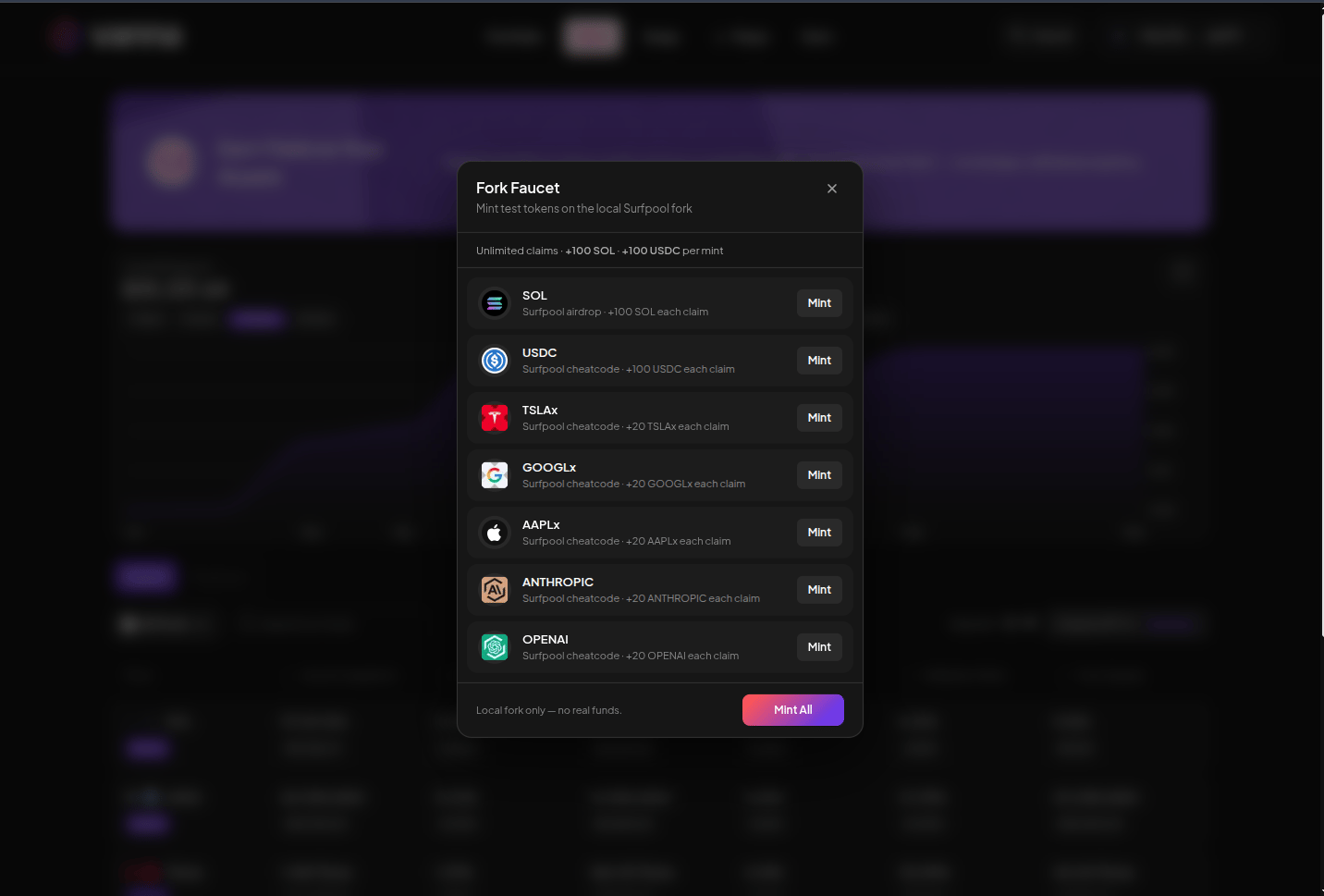
Open **Faucet** in the header. Mint the assets you need, or use **Mint All**.
| Asset | Typical faucet grant |
| --------- | -------------------- |
| SOL | +100 SOL airdrop |
| USDC | +1000 USDC |
| TSLAx | +20 TSLAx |
| GOOGLx | +20 GOOGLx |
| AAPLx | +20 AAPLx |
| ANTHROPIC | +20 ANTHROPIC |
| OPENAI | +20 OPENAI |
These are fork cheatcode top-ups. They do not move real mainnet tokens.
 ## Reconnect
Use the same wallet or Privy login to return to the same margin account. A different address has different holdings, debt, and Farm positions.
Continue with [Earn](/guides/earn/overview) or [Open a Margin Account](/guides/margin/open-account).
## Reconnect
Use the same wallet or Privy login to return to the same margin account. A different address has different holdings, debt, and Farm positions.
Continue with [Earn](/guides/earn/overview) or [Open a Margin Account](/guides/margin/open-account).